
Vue normale

Il y a de nouveaux articles disponibles, cliquez pour rafraîchir la page.
Aujourd’hui — 12 février 2026hackaday.com

DIY Wall-Plotter Does Generative Art, But Not As We Know It

Par : Donald Papp
12 février 2026 à 00:00

[Teddy Warner]’s GPenT (Generative Pen-trained Transformer) project is a wall-mounted polargraph that makes plotter art, but there’s a whole lot more going on than one might think. This project was partly born from [Teddy]’s ideas about how to use aspects of machine learning in ways that were really never intended. What resulted is a wall-mounted pen plotter that offers a load of different ‘generators’ — ways to create line art — that range from procedural patterns, to image uploads, to the titular machine learning shenanigans.
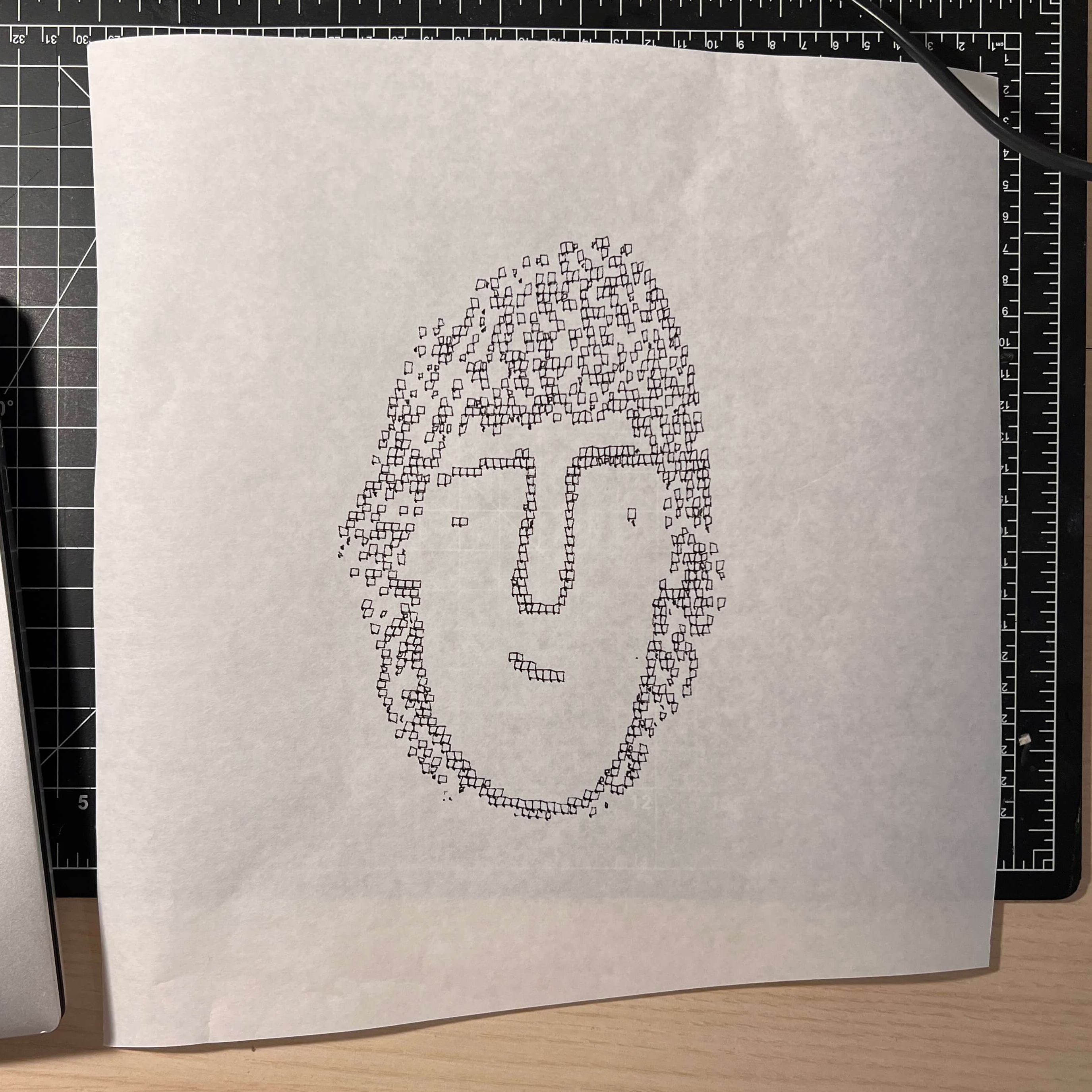
There are loads of different ways to represent images with lines, and this project helps explore them.

Want to see the capabilities for yourself? There’s a publicly accessible version of the plotter interface that lets one play with the different generators. The public instance is not connected to a physical plotter, but one can still generate and preview plots, and download the resulting SVG file or G-code.

Most of the generators do not involve machine learning, but the unusual generative angle is well-represented by two of them: dcode and GPenT.

dcode is a diffusion model that, instead of converting a text prompt into an image, has been trained to convert text directly into G-code. It’s very much a square peg in a round hole. Visually it’s perhaps not the most exciting, but as a concept it’s fascinating.

The titular GPenT works like this: give it a scrap of text inspiration (a seed, if you will), and that becomes a combination of other generators and parameters, machine-selected and stacked with one another to produce a final composition. The results are unique, to say the least.

Once the generators make something, the framed and wall-mounted plotter turns it into physical lines on paper. Watch the system’s first plot happen in the video, embedded below under the page break.

This is a monster of a project representing a custom CNC pen plotter, a frame to hold it, and the whole software pipeline both for the CNC machine as well as generating what it plots. Of course, the journey involved a few false starts and dead ends, but they’re all pretty interesting. The plotter’s GitHub repository combined with [Teddy]’s write up has all the details one may need.

It’s also one of those years-in-the-making projects that ultimately got finished and, we think, doing so led to a bit of a sigh of relief on [Teddy]’s part. Most of us have unfinished projects, and if you have one that’s being a bit of a drag, we’d like to remind you that you don’t necessarily have to finish-finish a project to get it off your plate. We have some solid advice on how to (productively) let go.
Implementing 3D Graphics Basics

12 février 2026 à 03:00

Plenty of our childhoods had at least one math teacher who made the (ultimately erroneous) claim that we needed to learn to do math because we wouldn’t always have a calculator in our pockets. While the reasoning isn’t particularly sound anymore, knowing how to do math from first principles is still a good idea in general. Similarly, most of us have hugely powerful graphics cards with computing power that PC users decades ago could only dream of, but [NCOT Technology] still decided to take up this project where he does the math that shows the fundamentals of how 3D computer graphics are generated.

The best place to start is at the beginning, so the video demonstrates a simple cube wireframe drawn by connecting eight points together with lines. This is simple enough, but modern 3D graphics are really triangles stitched together to make essentially every shape we see on the screen. For [NCOT Technology]’s software, he’s using the Utah Teapot, essentially the “hello world” of 3D graphics programming. The first step is drawing all of the triangles to make the teapot wireframe. Then the triangles are made opaque, which is a step in the right direction but isn’t quite complete. The next steps to make it look more like a teapot are to hide the back faces of the triangles, figure out which of them face the viewer at any given moment, and then make sure that all of these triangles are drawn in the correct orientation.

Rendering a teapot is one thing, but to get to something more modern-looking like a first-person shooter, he also demonstrates all the matrix math that allows the player to move around an object. Technically, the object moves around the viewer, but the end effect is one that eventually makes it so we can play our favorite games, from DOOM to DOOM Eternal. He notes that his code isn’t perfect, but he did it from the ground up and didn’t use anything to build it other than his computer and his own brain, and now understands 3D graphics on a much deeper level than simply using an engine or API would generally allow for. The 3D world can also be explored through the magic of Excel.

Making a Functional Control Panel of the Chernobyl RBMK Reactor

Par : Maya Posch
12 février 2026 à 06:00
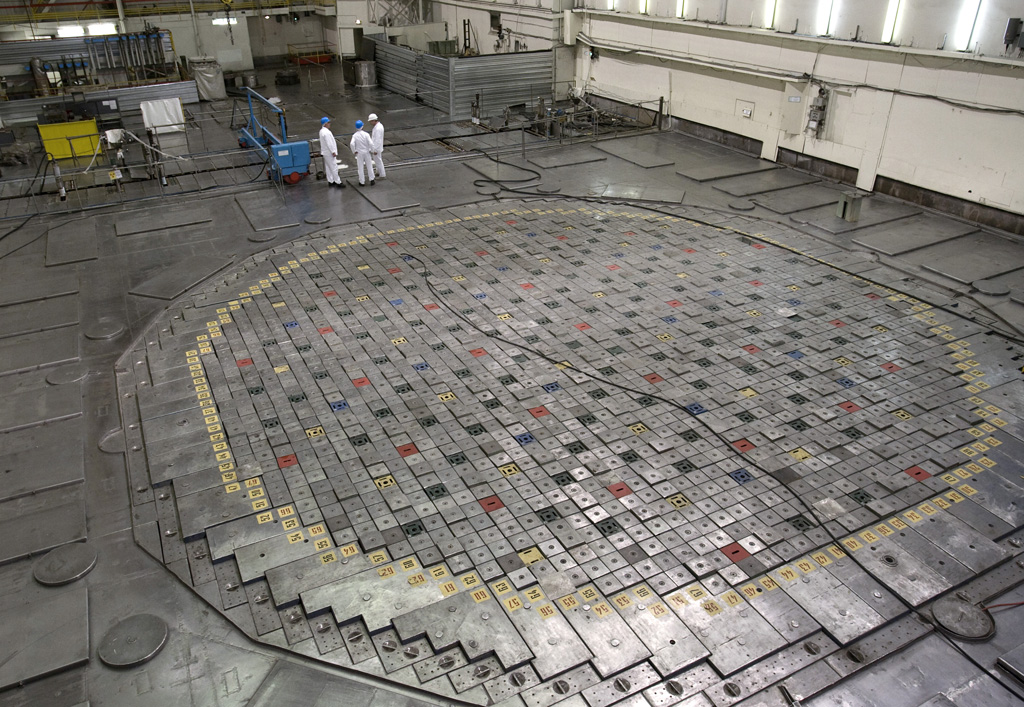
Top of an RBMK at the Leningrad plant.

Control panels of a pre-digitalization nuclear plant look quite daunting, with countless dials, buttons and switches that all make perfect sense to a trained operator, but seem as random as those of the original Enterprise bridge in Star Trek to the average person. This makes the reconstruction of part of the RBMK reactor control by the [Chornobyl Family] on YouTube a fun way to get comfortable with one of the most important elements of this type of reactor’s controls.

The section that is built here pertains to the control rods of the RBMK’s reactor, its automatic regulations and emergency systems like AZ-5 and BAZ. The goal is not just to have a shiny display piece that you can put on the wall, but to make it function just like the real control panel, and to use it for demonstrations of the underlying control systems. The creators spent a lot of time talking with operators of the Chornobyl Nuclear Plant – which operated until the early 2000s – to make the experience as accurate as possible.

Although no real RBMK reactor is being controlled by the panel, its ESP32-powered logic make it work like the real deal, and even uses a dot-matrix printer to provide logging of commands. Not only is this a pretty cool simulator, it’s also just the first element of what will be a larger recreation of an RBMK control room, with more videos in this series to follow.

Also covered in this video are the changes made after the Chernobyl Nuclear Plant’s #4 accident, which served to make RBMKs significantly safer, albeit at the cost of more complexity on the control panel.

❌
❌