
Vue lecture

Il y a de nouveaux articles disponibles, cliquez pour rafraîchir la page.

Vintage Canadian Video Hardware Becomes Homebrew Computer

Are you in the mood for a retrocomputing deep dive into the Scriptovision Super Micro Script? It was a Canadian-made vintage video titler from the 80s, and [Cameron Kaiser] has written up a journey of repair and reverse-engineering for it. But his work is far more than just a refurbish job; [Cameron] transforms the device into something not unlike 8-bit homebrew computers of the era, able to upload and run custom programs with a limited blister keypad for input, and displaying output on a composite video monitor.
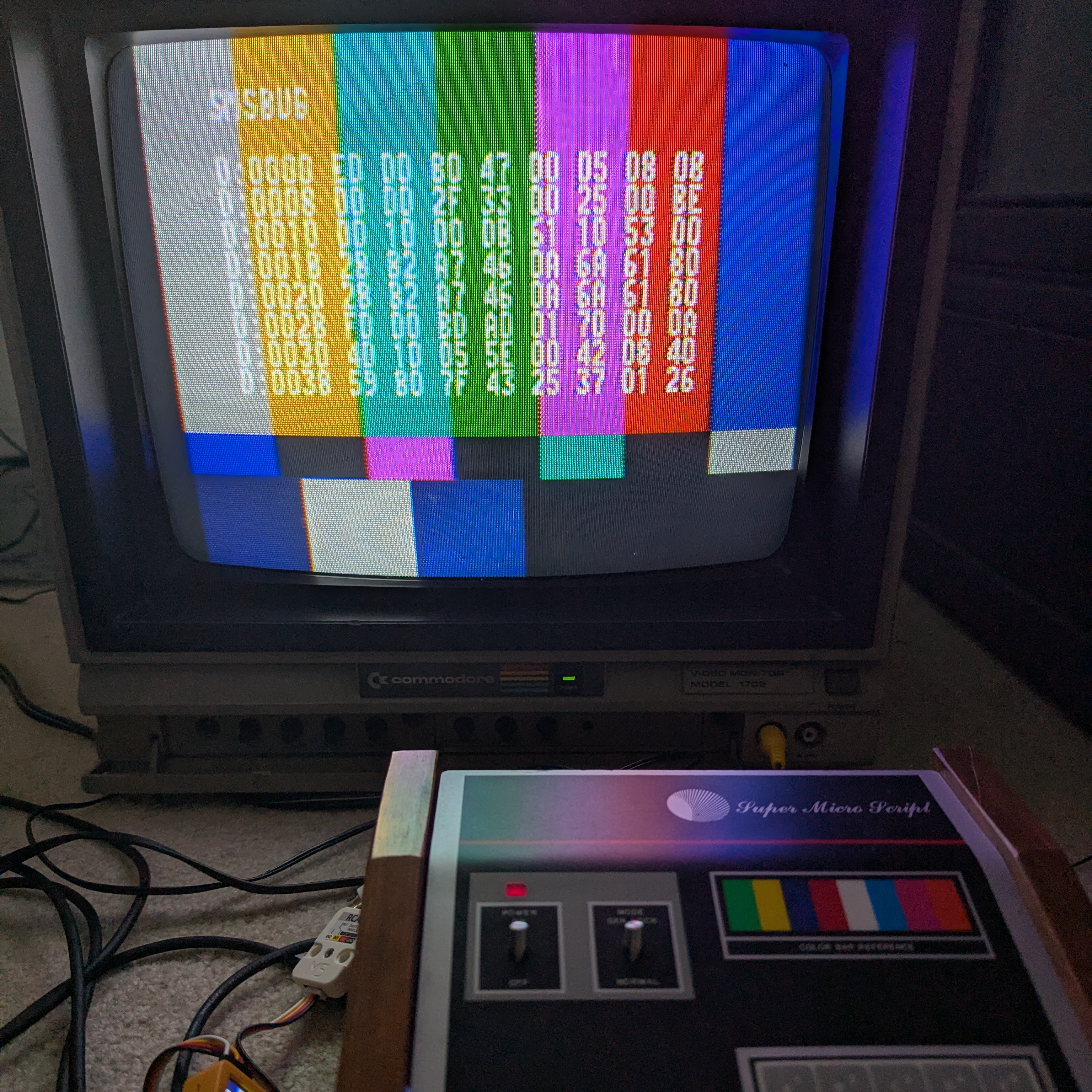
Hardware-wise, the Super Micro Script is almost a home computer, so [Cameron] got it accepting and running custom code.
A video titler like the Super Micro Script gave people the ability to display bitmapped images (like text or simple graphics) onto a video stream electronically. A standalone device, under the hood, it uses a 6502 as CPU and a Motorola 6847 VDG video chip. [Cameron] observes that architecture-wise, it actually had a lot in common with early 8-bit home computers. Sure, it performed only one “job” but that really had more to do with its restrictive firmware than anything else.

[Cameron] obtained a used unit and repaired it, reverse-engineered the scrambled address and data lines (an anti-cloning and anti-tampering measure), and converted it into something for which he could write his own software and run his own programs. As for uploading those programs? A bit-banged serial port on I/O borrowed from the blister keypad, running at a frankly quite respectable 19.2 kbps.

We hope you’re intrigued, because [Cameron] has one more surprise: he created a MAME emulator for the Super Micro Script called SMSBUG. Originally created to make software development easier, its existence also means anyone can join in on the vintage computing fun. The emulator, along with other handy utilities and info, is available on GitHub.
Reverse Engineering a Dash Robot with Ghidra

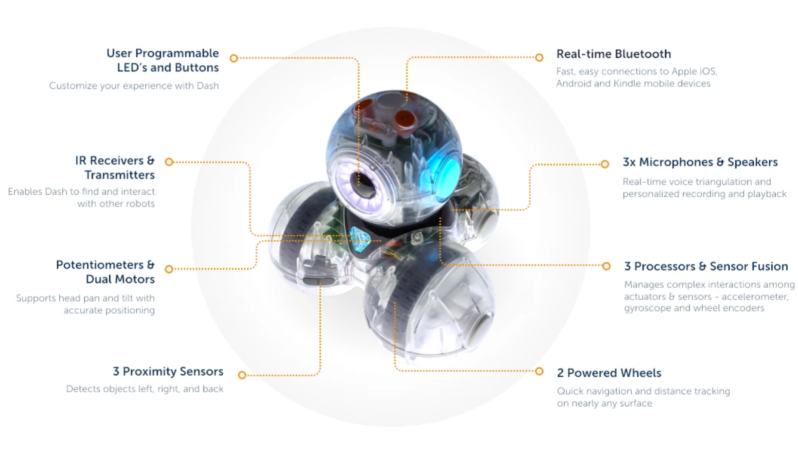
A marketing image of a Dash educational robot is shown. It is made of a triangle pyramid of four plastic spheres. Two of the base spheres house wheels, and the top sphere houses a speaker, lights, and sensors.

One of the joys of browsing secondhand shops is the possibility of finding old, perhaps restorable or hackable, electronics at low prices. Admittedly, they usually seem to be old flat-screen TVs, cheap speakers, and Blu-ray players, but sometimes you find something like the Dash, an educational toy robot. When [Jonathan] came across one of these, he decided to use it as a turtle robot. However, he found the available Python libraries insufficient, and improving on them required some reverse-engineering.

While [Jonathan] was rather impressed with the robot as it was – it had a good set of features, and thought had clearly been put into the design – he wanted a more open way to control it. There was already a quite useful, official Python program to control the robot over a BLE connection, but it only worked with Python 2 on OS X ([Jonathan] theorizes that it might have been written as a development tool, open-sourced, and not diligently supported afterwards). There were also a few third-party libraries ported to Python 3, but they all seemed to be missing some important features.

All the newer libraries were limited because the official library passed commands to an OS X binary, which handled the actual communication, so anyone wanting to do everything in Python would have to reverse-engineer the communications protocol. [Jonathan] therefore used Ghidra to decompile the binary. He first found the JSON structure used for message data, followed by a function that reads command information and sets up packets, and a mapping between Python command names and command IDs. Once he found the section that creates packets from data, he was able to port the program to Python 3. Interestingly, examining the binary revealed some previously unknown commands that appear to be capable of defining autonomous behavior.

We’ve previously seen Ghidra used on devices ranging from a camera to a router; if you’d like to learn more, there’s a HackadayU course on it.

❌